Visual Progress
Life Orb: See Your Effort Grow
Life Orb turns completed eligible habits into stored energy you can channel into an orb and growing Grove.
Quick answer
Life Orb gives your effort a visual form. Complete eligible habits, build energy, and choose when to channel it into your Orb and Grove.
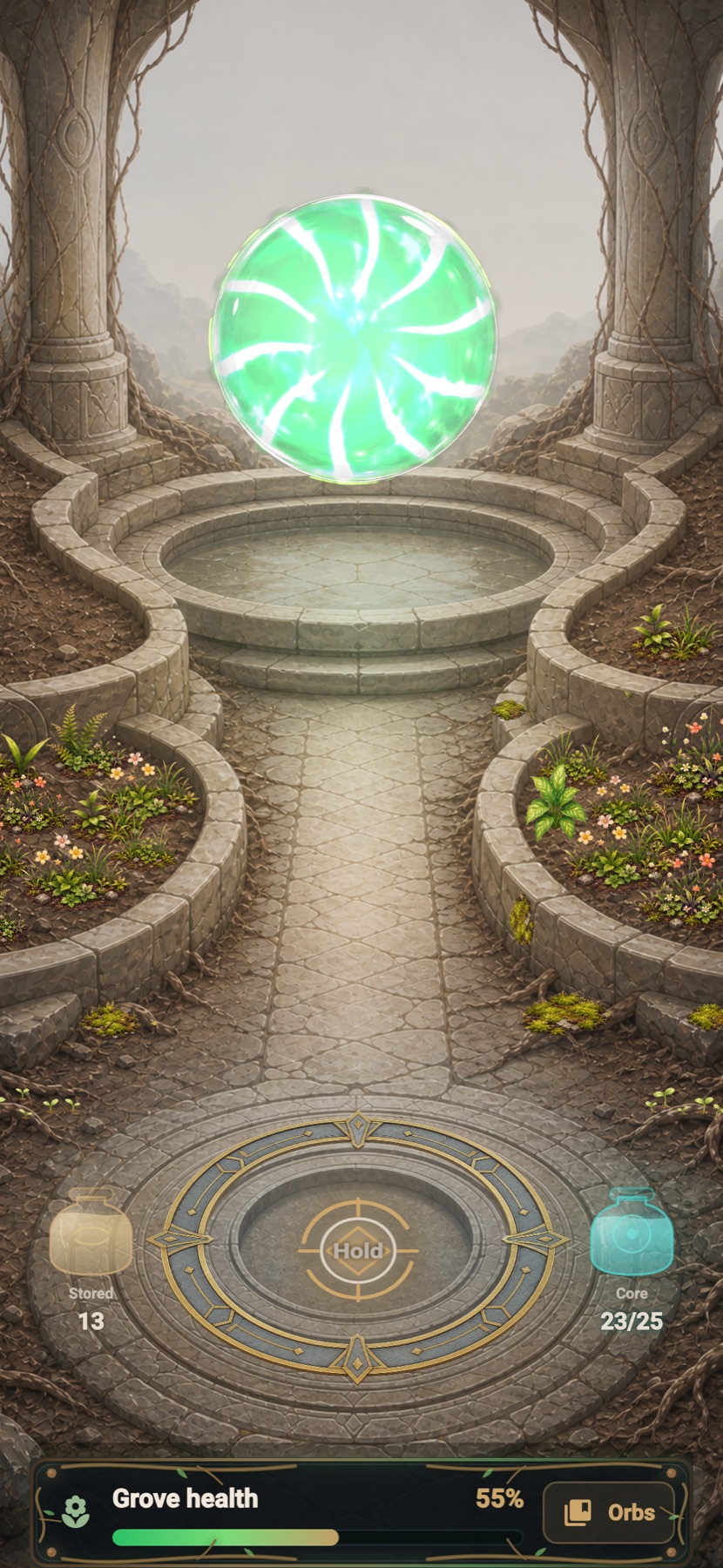
Completed eligible habits create stored energy
You choose when to channel energy into your Life Orb
Collectible orbs make progress visible
The living grove grows with continued use
Why it matters
How it supports your goal
See effort take shape
Completed habits become something you can return to and build.
Make progress feel personal
The orb and grove give your accumulated effort a visual identity.
Keep it optional
Life Orb supports motivation without blocking the daily plan.
From completed habits to stored energy
Eligible completed habits add energy to a stored balance. When you choose, you can channel that energy into your active Life Orb.
A visual record, not the goal itself
Your real progress still comes from the actions you complete. Life Orb makes that effort easier to feel and see.
Good to know
What this feature does and does not do
Clear limits help you choose the right tool for the moment.
- Life Orb is optional and does not block your daily plan.
- Only eligible completed habits create energy.
- Energy is stored first and is not moved into the orb automatically.
FAQ
What is the LyfeArc Life Orb?
It is a visual progress space where energy from completed eligible habits can charge a collectible orb and grow your Grove.
Does completing Daily Quest automatically charge Life Orb?
No. Eligible habit completions create stored energy, and you choose when to channel that energy into the Life Orb.
Do I have to use Life Orb?
No. It is an optional motivation and visual-progress layer.